Choosing Between AI-Assisted Development and Traditional Coding for Workplace Tools
Understanding the two approaches for building small workplace tools
When your team needs a small internal tool - maybe a timesheet tracker, a client database front-end, or a report generator - the question of how to build it often comes down to two broad paths: traditional coding, where a developer writes every line of logic, or AI-assisted development, where you use generative AI to help produce, review, or even generate large parts of the code. Each path has its own strengths, and the right choice depends on your team's skills, the tool's complexity, and how long you expect to maintain it.
Traditional coding gives you full control. Every function, every error handler, every database query is written by a human who understands the tool's purpose and can make deliberate design decisions. This approach works well when the tool handles sensitive data, needs to integrate with existing enterprise systems, or must meet compliance standards. The downside is time and cost. A small tool that might take a professional developer a day or two to build can become a week-long project when requirements shift mid-development.
AI-assisted development, on the other hand, lets you describe what you want in plain language and get back working code, often in minutes. Tools like large language models can generate boilerplate, suggest functions, and even debug simple errors. This can dramatically speed up prototyping and reduce the barrier for non-developers to contribute. But the code produced may not be optimised, may contain subtle security flaws, or may be hard to maintain without deep understanding of what was generated.
When traditional coding makes sense
If you need a tool that will be used daily by a dozen or more people, traditional coding is often the safer bet. A developer can structure the code for clarity, write unit tests, and build in error handling that covers edge cases. The tool can be version-controlled, documented, and handed off to another developer later without a steep learning curve.
Consider a tool that processes payroll data. Even a small error can cause compliance issues or upset employees. Here, relying on AI-generated code without thorough human review is risky. A professional developer can trace through every path the data takes, ensure encryption is applied correctly, and test with real-world scenarios. The upfront investment in traditional coding pays off through reliability and maintainability.

Another case for traditional coding is when the tool must integrate with existing systems through APIs that have complex authentication or non-standard data formats. A developer can read the API documentation, write custom handlers, and debug connection issues. AI tools may generate code that looks plausible but fails against the actual endpoint, costing more time in troubleshooting than it saved in generation.
When AI-assisted development shines
AI-assisted development excels at rapid prototyping and one-off tasks. If you need a quick script to reformat a batch of files, a simple dashboard to visualise data from a spreadsheet, or a tool to automate a repetitive manual process, generative AI can produce a working first version in minutes. You can then test it, iterate by asking for changes in natural language, and have a functional tool in hours instead of days.
This approach is especially useful for teams that do not have a dedicated developer. A business analyst, project manager, or operations lead can describe their need and get a working prototype without writing code from scratch. They can then ask the AI to add features, fix bugs, or change the user interface. This democratises tool creation and lets domain experts solve their own problems quickly.
For example, a small team that needs a simple inventory tracker can describe the fields, the data source, and the desired views. The AI generates a web app with a basic interface and a database. The team can start using it immediately and refine it over time. If the tool breaks or needs a new feature, they can describe the issue to the AI again rather than digging into unfamiliar code.
Finding a middle ground: learning both approaches
Many professionals are discovering that a blended approach works best. You learn enough traditional coding concepts to understand what the AI is producing, and you use the AI to accelerate your work. This is where a structured learning path can help. A course that teaches you to build and deploy a simple generative AI application in two days gives you the foundational skills to evaluate AI-generated code, modify it, and deploy it safely.
The United Ceres College GenAI app building course is one example of such a program. It focuses on practical skills: how to describe a tool idea, generate code with AI, test it, and put it into use. Participants come away with a working application and the confidence to repeat the process for future needs. The course does not assume you are a professional developer, but it does require you to think logically about what your tool should do.
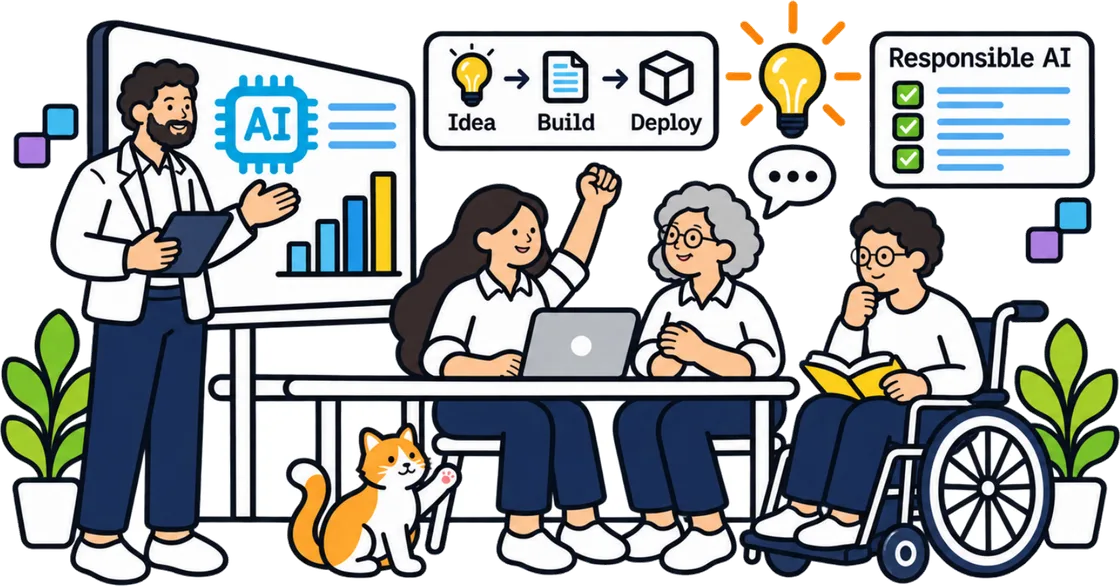
Even if you plan to stick with traditional coding for critical tools, understanding AI-assisted development expands your toolkit. You can use AI to generate test data, write documentation, or create mockups. You can ask it to suggest alternative implementations when you are stuck on a problem. The key is to treat the AI as a junior collaborator: it can produce drafts and ideas, but you remain the responsible reviewer.
Practical considerations for your decision
Before you choose a path, ask yourself a few questions:
- How long will this tool be used? A tool used for a week is a candidate for AI generation; one used for years needs solid traditional architecture.
- Who will maintain it? If the original builder will be around, AI-generated code with comments may be fine. If others will take over, traditional code with clear structure is better.
- What data does it handle? Sensitive data demands careful human oversight. General business data can often be handled by AI-generated code after review.
- How much time do you have? If you need something tomorrow, AI-assisted development can get you a working version fast. If you have a week, traditional coding with testing is more reliable.
Another factor is the learning curve. If you or your team are not developers, AI-assisted development can be a gateway. You learn by reading the code the AI produces, by fixing its mistakes, and by gradually understanding patterns. Over time, you may build enough knowledge to write small tools traditionally and use AI for the heavy lifting.
For those who want to build skills systematically, the United Ceres College GenAI app building course offers a structured two-day immersion. It covers the full cycle from idea to deployed application, giving you a framework you can reuse. Whether you end up using AI-assisted development for every small tool or reserve it for prototypes, the ability to think through what your tool needs and how to verify its output is a lasting skill.
Making the call for your next small tool
There is no single right answer. The best approach depends on the tool's purpose, your team's expertise, and the stakes of getting it wrong. For a quick internal utility that saves someone an hour a week, AI-assisted development is hard to beat. For a tool that handles payroll, patient records, or compliance data, traditional coding with thorough testing is the responsible choice.
In many workplaces, the smartest strategy is to build a prototype with AI and then hand it to a developer for hardening. The prototype helps you discover what you really need before investing in a full build. The developer then writes production-quality code, reusing the prototype's logic and interface ideas. This hybrid approach combines speed with reliability.
As generative AI tools become more capable, the line between these two approaches will blur. Already, many developers use AI to write significant portions of their code, reviewing and adjusting each section. The essential skill is not choosing one path forever but knowing which to apply to each task. A course that gives you hands-on experience with both sides - like the one offered by United Ceres College - prepares you to make that judgment call confidently.
United Ceres College on social media
 Twitter
 LinkedIn
 Facebook
 Instagram
 YouTube